Web2Publish - Patch 4 - Change Log
This patch, released on October 19th, 2026, makes it easier to find media assets in the customization wizard step, and tells you clearly when you are not allowed to start a process instead of showing a loading circle or an error screen. It also brings a few smaller fixes and improvements.
Build Name on FTP: web2publish_4.8.0.5.zip
Highlight feature
ADMIN-4021 | Find media assets faster with search and a list view
The media asset panel now has a search bar at the top. Type a few letters of a name and you see only the matching assets. You can also switch between two views with the Grid / List toggle: Grid shows assets as cards like before, List shows one asset per line so you see more at once. What you already picked stays picked when you search or change the view.
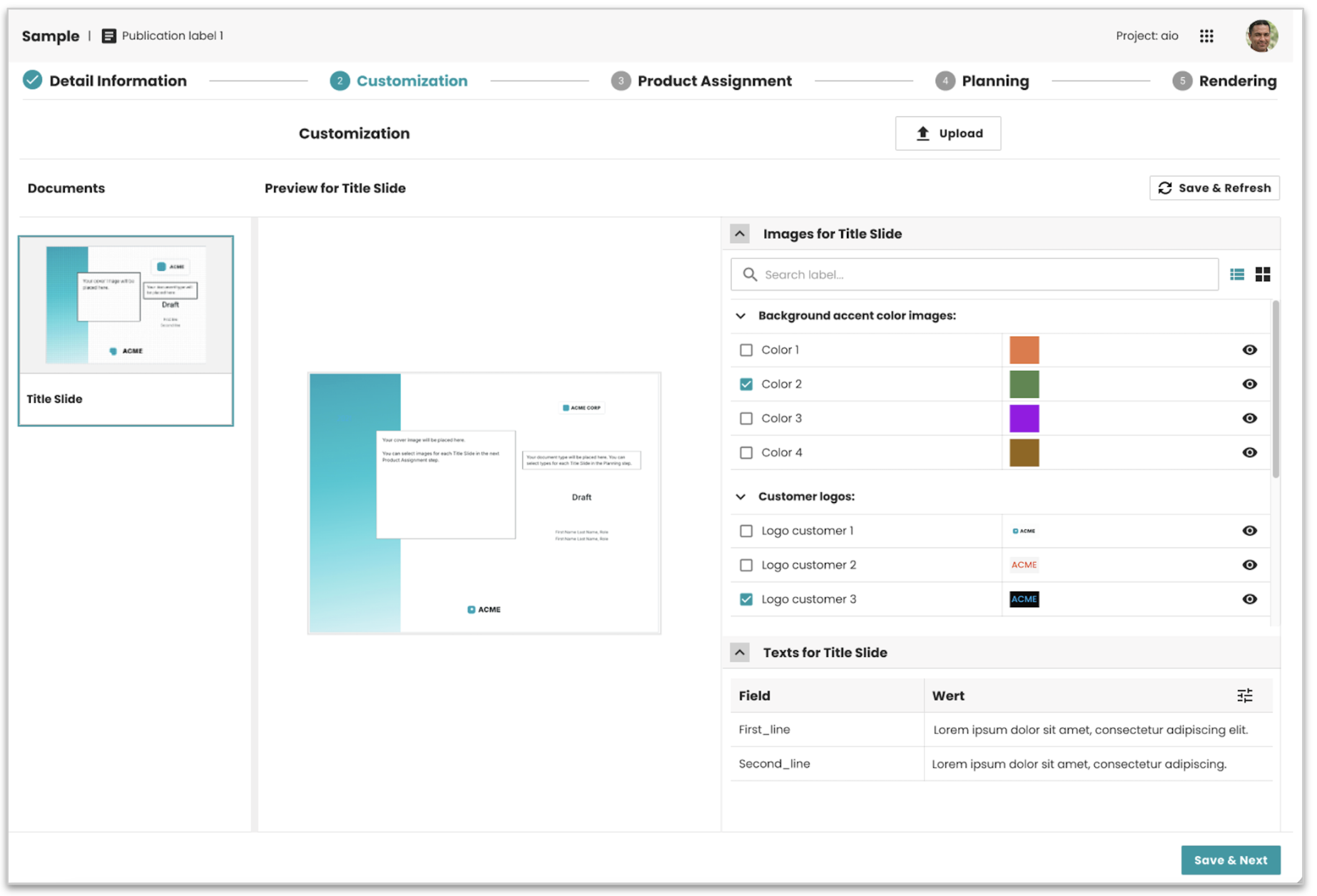
Result: you find the asset you need in seconds instead of scrolling.
For detailed information about configuring the new supported features, see the CUSTOM_DOCUMENTS Step documentation.
ADMIN-4150 | A real message instead of an error screen in wizards
You can have access to a publication but not the rights to run its processes. Opening the wizard of such a process form used to end on a general error screen, which looked like something was broken. Now you get a message that tells you that you have no permission to run this process.
Result: you see what is missing and can ask for the right permission instead of reporting a bug.
Bug fixes and improvements
- ADMIN-4193 | Pages now always load in their newest version after an update, with no need to clear the browser cache.
- ADMIN-4219 | Fixed the expand arrow in the Planning tree step, so you can open and close the levels of the tree again.
- ADMIN-4256 | Fixed the Planning step: after you saved, going to a next step and coming back did not show the templates you had assigned. The step now shows your selection.
System compatibility
| Dependency | Min version | Max version |
|---|---|---|
| PubServer | 4.8.0.867 | 4.8.0.867 |